AI Image Enhancer repair and upscale photos
Photos open in the same workspace as video. Fifteen AI modules work on stills, from Quality Repair and AI Color Grading to six AI Beauty tools, four Smart Effects, background removal and replacement, and object removal. Export at 1x, 2x, 4x, 2K or 4K, after previewing the whole picture.
- Free preview
- 1, 3 or 5 seconds of video; the whole picture on a photo · No account needed.
- Needs a paid plan
- Export, convert, repair a file, download a file from a link
- Quality Repair with Smart Repair or Special Scene Repair, output at 1x, 2x, 4x, 2K or 4K
- Color, beauty, effects, background and object removal tools for stills
- Load a set of photos and use Export all; image conversion and file repair are in the same app

Photos
Give soft and compressed photos a second chance
An old phone photo, or a blocky copy from a chat app: the preview shows the whole picture next to the original. Pick Smart Repair, or Special Scene Repair for anime, night, haze, rain, black-and-white or film grain, then choose the output size. Photos of about 1 to 8 megapixels respond well; a thumbnail won't become a poster.


§01What it does
Image modules in KwaFlux
Quality Repair
Smart Repair, or a Special Scene Repair type for anime, night shots, haze, rain, black-and-white or film grain. Output at 1x, 2x, 4x, 2K or 4K.
AI Color Grading
Smart Color and Filter Grading for flat or color-cast photos; SDR to HDR is for video only.
AI Beauty (6 tools)
Overall Retouch, Skin Quality, Makeup, Face Shape, Facial Features and Hair Recolor for portraits.
Smart Effects (4)
Cartoonization, Fixed Style Transfer, Face Relighting and Sketch Generation.
Portrait Background Removal
Cuts out the person, hair and edges included, and swaps in another background.
Object Background Replace
Click a subject, keep it, and replace the background around it.
Static Object Removal
Box or click clutter such as signs or wires to remove it from the photo. Removal erases the subject; the two background tools keep it.
Image Format Conversion and Image File Repair
Convert between common image formats, or repair a photo that won't open.
§02
Pick the repair that fits the photo
A chat-app copy, a night shot, an anime still and a hazy scan need different fixes, so choose Smart Repair or a Special Scene Repair type rather than one generic filter. Set the output to 1x, 2x, 4x, 2K or 4K and compare the preview with the original.
As with video quality repair, a thumbnail won't become a poster, but photos of roughly 1–8 megapixels usually clean up well.
§03
Photos and video in one app
Photos use the same workspace and license as video, so if you already restore video in KwaFlux, there is nothing extra to install or buy. Files are processed on your computer and aren't uploaded for processing.
§04How to use
How to enhance a photo in KwaFlux
Import photos
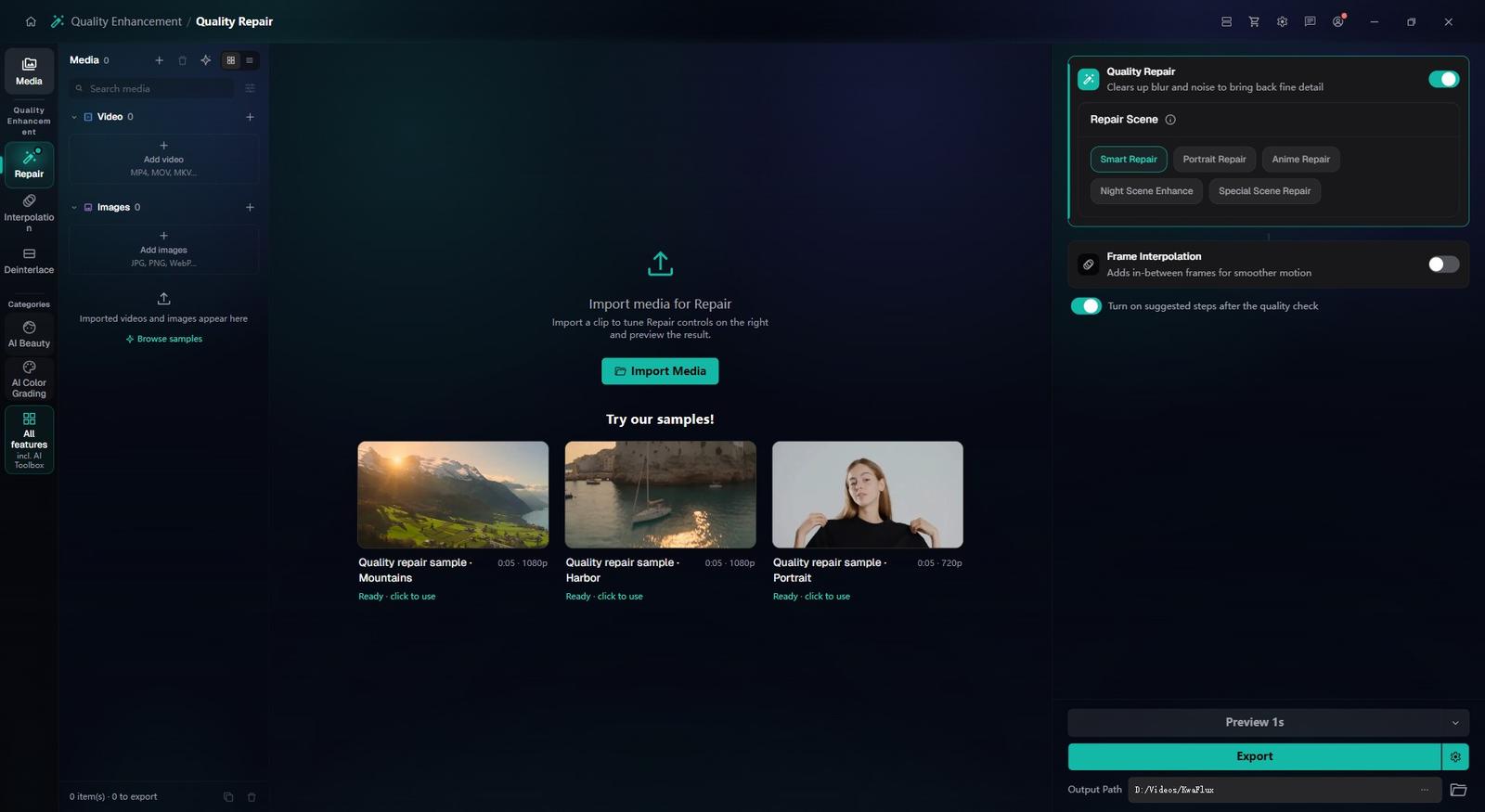
In the sidebar, open Quality Enhancement and pick Quality Repair, which takes photos as well as video. Add one photo or several.
Pick the repair and output size
Choose Smart Repair or a Special Scene Repair type, set 1x, 2x, 4x, 2K or 4K, and compare the full-picture preview with the original.
Export, or switch tools
Export the result, or move on to Portrait Background Removal, Object Background Replace or Static Object Removal when the photo needs a cutout or a cleanup.
§05Requirements
System requirements
| Operating system | Windows 10 (64-bit, 1809+) or Windows 11; macOS 12 or newer (Apple Silicon)Apple Silicon only. macOS 12 runs in Standard Mode. |
|---|---|
| GPU | 2016 or later Intel, AMD, or NVIDIA GPU — integrated or discreteDirectX 12 Feature Level 12_0. Windows only. macOS uses Apple Silicon. |
| Memory | 8 GB RAMEnough to launch, preview, and export. Long clips and stacked modules will be slower. |
| Storage | SSD workspaceUse an SSD for the app, cache, and temp files. |
Windows 10 (64-bit, 1809+) or Windows 11; macOS 12 or newer on Apple Silicon.
§06FAQ
Frequently Asked Questions
- How large can I upscale a photo?
- Output options are 1x, 2x, 4x, 2K and 4K. How well it holds up depends on the source: a reasonably clean 1–2 megapixel photo enlarges far better than a tiny thumbnail.
- Can it fix blurry photos?
- Slight focus misses and mild motion blur respond well to Smart Repair. If the subject is blurred beyond recognition, no tool can rebuild what the camera didn't capture.
- Does it work on scanned prints and old family photos?
- Yes. Scanned prints combine noise, fading and low effective resolution, and Smart Repair works on all three; for black-and-white prints, try the Colorize scene type.
- Can I process many photos at once?
- Yes. Import several photos, set up one, choose Apply params to others, then Export all. The jobs run in Task Center.
- Can I try it on my own photos for free?
- Yes. Import a photo and preview it without an account; image previews show the whole picture next to the original. Exporting, converting, repairing a file and downloading a file from a link need sign-in and a paid plan.
Download the app, import a clip and render a free preview. You need a paid plan only to export, convert, repair a file or download a file from a link.