AI Audio Denoise cleaner voices, split vocals, new voices
Viewers forgive a soft picture long before they forgive bad sound. KwaFlux cleans up audio on the same computer: remove background noise, make voices clearer and less echoey, split vocals from music, or change a voice, with no separate audio app.
- Free preview
- The opening 5 to 30 seconds · No account needed.
- Needs a paid plan
- Export, convert, repair a file, download a file from a link
- Remove hiss, wind and hum from video or audio files
- Voice enhancement that also reduces room echo
- Separate vocals from music, or change a voice

Audio
Clean up dialogue without uploading a thing
Previews play the opening 5 to 30 seconds with no account; the export processes the whole file.

§01What it does
The four audio modules
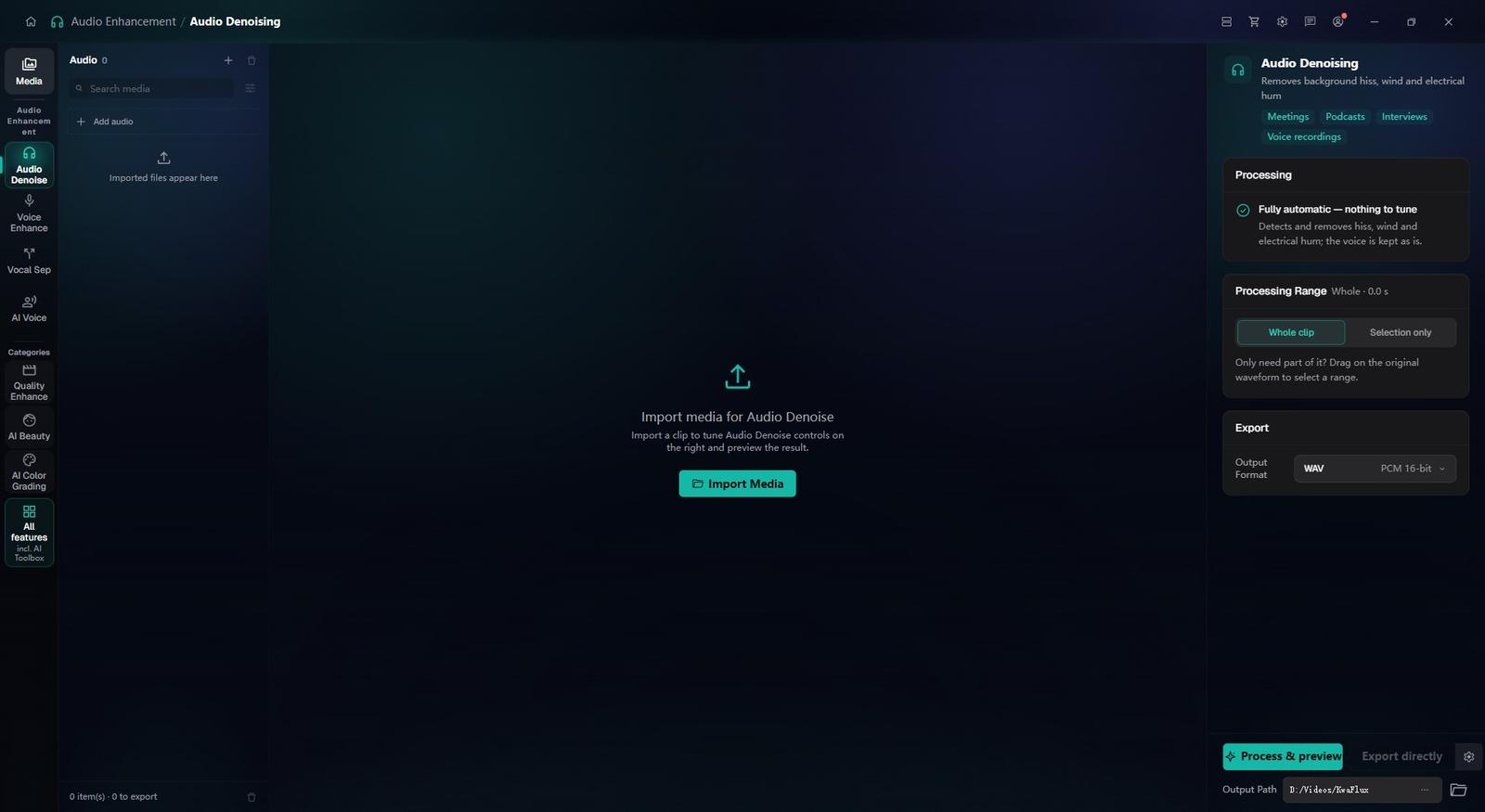
Audio Denoising
Removes steady background noise such as hiss, wind, electrical hum and air conditioning while keeping the voice.
Voice Enhancement
Makes speech clearer and more present and reduces room echo, for interviews and lectures recorded in untreated rooms.
Vocal Separation
Splits a track into two: vocals and accompaniment. Pull dialogue out from under music, or keep just the instrumental.
AI Voice Change
Switches a voice to another one, male, female or a character voice. It's a creative effect, so listen to the preview before you export.
§02
One module for each everyday problem
An interview recorded next to an air conditioner calls for Audio Denoising, and a lecture in an echoing hall for Voice Enhancement.
Dialogue buried under music calls for Vocal Separation; once the sound is clean, the picture can go through AI Video Enhancer in the same app.
§03
What AI Audio Denoise can and cannot fix
Steady noise and room echo are what these modules are built for. Clipping, the distortion recorded when the level was too high, is not something they repair, and dense mixes separate less cleanly than a voice over background music.
§04How to use
How to clean up audio with KwaFlux
Import video or audio
In the sidebar, open the AI Toolbox and pick Audio Denoising or another audio module. Import a video or an audio file; there's no need to extract the track first.
Match the module to the problem
Audio Denoising for hiss and hum, Voice Enhancement for echoey rooms, Vocal Separation to pull a voice out of music. Preview to hear the difference.
Export
Choose the output format and export. Processing runs on your own computer.
§05Requirements
System requirements
| Operating system | Windows 10 (64-bit, 1809+) or Windows 11; macOS 12 or newer (Apple Silicon)Apple Silicon only. macOS 12 runs in Standard Mode. |
|---|---|
| GPU | 2016 or later Intel, AMD, or NVIDIA GPU — integrated or discreteDirectX 12 Feature Level 12_0. Windows only. macOS uses Apple Silicon. |
| Memory | 8 GB RAMEnough to launch, preview, and export. Long clips and stacked modules will be slower. |
| Storage | SSD workspaceUse an SSD for the app, cache, and temp files. |
Windows 10 (64-bit, 1809+) or Windows 11; macOS 12 or newer on Apple Silicon.
§06FAQ
Frequently Asked Questions
- Can it remove background noise from a video directly?
- Yes. Import the video file into Audio Denoising; you don't need to extract the audio track first.
- Can I separate vocals from background music?
- Yes. Vocal Separation splits a mixed track into vocals and accompaniment, so you can lift dialogue out from under music or keep only the instrumental. How cleanly it separates depends on how dense the mix is.
- Will it fix distorted or clipped audio?
- No. Clipping is distortion recorded when the level was too high, and none of the audio modules is built to repair it. Steady noise and room echo are what they handle.
- Can it remove echo from a room recording?
- Yes. Voice Enhancement reduces the echo of untreated rooms, so the voice sounds closer and clearer. Preview your own file to hear the result.
- Can I try it on my own audio for free?
- Yes. Import a clip and preview the opening 5 to 30 seconds without an account. Sign-in and a paid plan are needed to export, convert, repair a file, or download a file from a link.
Download the app, import a clip and render a free preview. You need a paid plan only to export, convert, repair a file or download a file from a link.