Video Converter video, audio, images, GIFs and DVDs
Video Converter changes formats on your own computer: MP4, MKV and MOV with H.264, H.265 or AV1, plus audio, images and GIFs. DVDs have their own path: scan an ISO or VIDEO_TS folder, pick a title and export a video file.
- Free preview
- No effect preview; it works on the file itself
- Needs a paid plan
- Export, convert, repair a file, download a file from a link
- Video, audio, image and GIF conversion
- H.264, H.265 or AV1 into MP4, MKV or MOV
- DVD: scan an ISO or VIDEO_TS folder, pick a title, export

Delivery
The last step: convert and batch-export
Add files or a whole folder, set the output once and export them all. Conversion runs on your own computer, with no upload needed.
§01What it does
What the Converter handles
Video conversion
MP4, MKV or MOV with H.264 for compatibility, H.265 for smaller files, or AV1 for newer players and platforms.
Audio conversion
Convert between common audio formats, or pull the audio track out of a video.
Image conversion
Switch between common image formats such as JPEG, PNG and WebP.
GIF Maker
Turn a video clip into an animated GIF, with the frame rate and size you choose.
Batch conversion
Add files or a whole folder, set the output once, and the whole list is converted with the same settings.
DVD Convert
Scan an ISO or a VIDEO_TS folder, pick a title and save it as an ordinary video file such as MP4.
§02
Choosing a codec
H.264 plays almost everywhere, so use it when you don't know where the file will end up. H.265 gives noticeably smaller files at similar quality on players that support it, and AV1 is the newer option for web and streaming delivery.
§03
Convert as the last step
If the clip was repaired, upscaled or graded in KwaFlux, convert it there as the last step instead of round-tripping through another app. Handing it to Premiere Pro, DaVinci Resolve or Final Cut Pro? See which format to give your editor.
§04
DVD is a title rip, not a codec swap
DVD Convert reads the disc structure: scan an ISO or VIDEO_TS folder, pick the title you want and save it as a normal video file. Changing the codec of a file you already have is a job for Audio & Video Format Conversion.
§05How to use
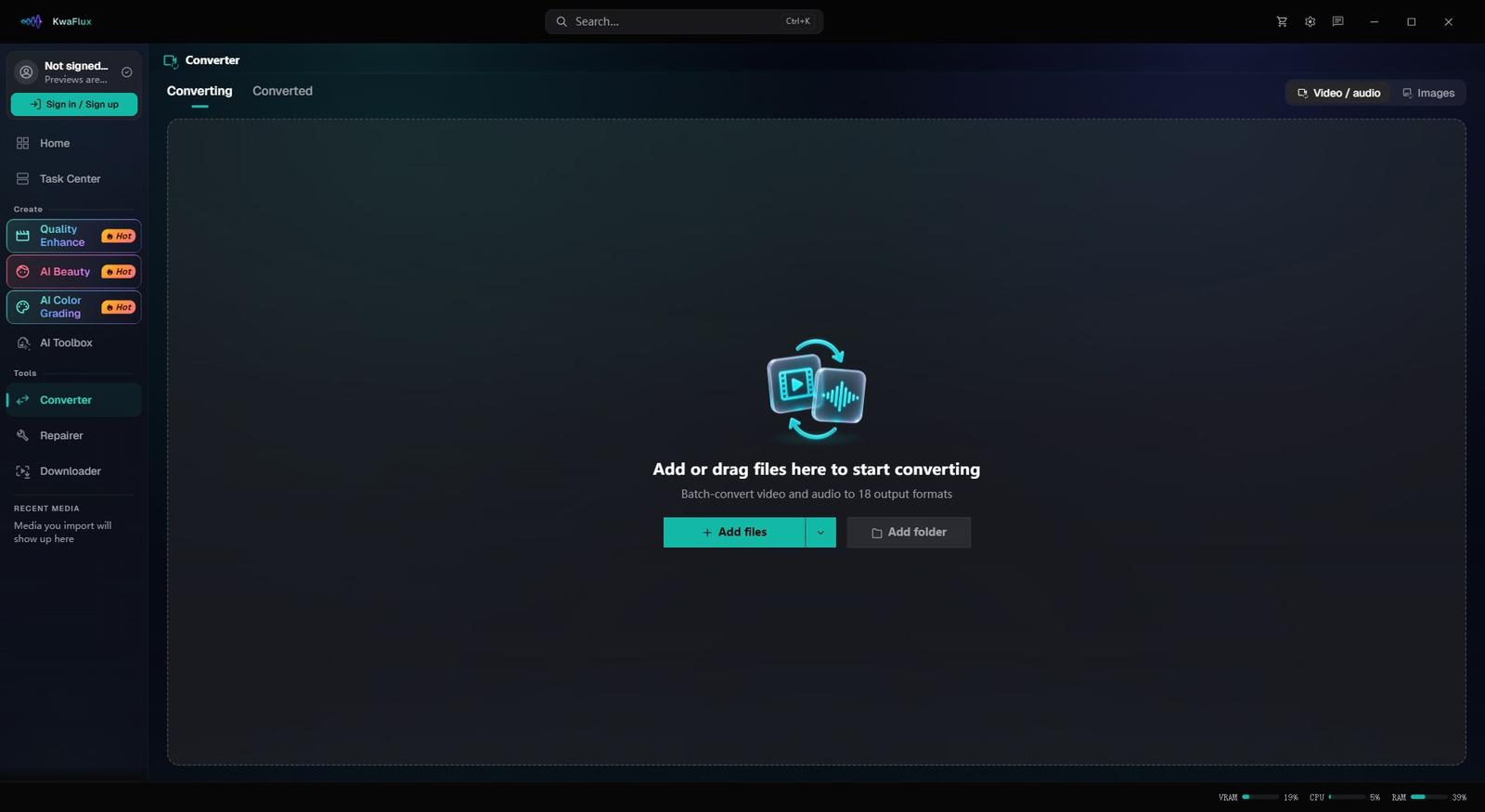
How to convert video with KwaFlux
Add files or a folder
In the sidebar, open Converter and add clips one by one or a whole folder at once. For a disc, use DVD Convert.
Pick container and codec
Choose MP4, MKV or MOV and H.264, H.265 or AV1 for where the file is going. The settings apply to every file in the list.
Convert
Start the conversion. Encoding runs on your own computer, with no upload.
§06Requirements
System requirements
| Operating system | Windows 10 (64-bit, 1809+) or Windows 11; macOS 12 or newer (Apple Silicon)Apple Silicon only. macOS 12 runs in Standard Mode. |
|---|---|
| GPU | 2016 or later Intel, AMD, or NVIDIA GPU — integrated or discreteDirectX 12 Feature Level 12_0. Windows only. macOS uses Apple Silicon. |
| Memory | 8 GB RAMEnough to launch, preview, and export. Long clips and stacked modules will be slower. |
| Storage | SSD workspaceUse an SSD for the app, cache, and temp files. |
Windows 10 (64-bit, 1809+) or Windows 11; macOS 12 or newer on Apple Silicon.
§07FAQ
Frequently Asked Questions
- Should I use H.265 or AV1 instead of H.264?
- Use H.264 when the file has to play on as many devices as possible. Use H.265 for smaller files at similar quality, for archives or 4K delivery to players that support it. Use AV1 when the destination supports it, typically web and streaming.
- Can I convert many files at once?
- Yes. Add several files or a whole folder, set the container, codec and other settings once, and they apply to every file in the list.
- Is there a file size limit?
- There's no upload, so no upload cap applies. Files are read and written on your own drive; leave enough free space for the output.
- Which formats and codecs are supported?
- Video can be saved as MP4, MKV, MOV, WebM, TS or M2TS with H.264, H.265 (HEVC) or AV1, plus Apple ProRes in MOV and VP9 in WebM; the codecs on offer depend on the container. Audio extraction, image conversion, GIF Maker and DVD Convert are included too.
- Can I try it before buying?
- Yes, with no account or card. Free previews last 1, 3 or 5 seconds in video modules, 5, 15 or 30 seconds in Video Stabilization, the whole picture for images and the opening 5 to 30 seconds for audio; file tools such as the Converter have no effect preview. Exporting, converting, repairing a file and downloading a file from a link need sign-in and a paid plan, and there's no time-limited trial.
Download the app free. Converting, repairing a file and downloading a file from a link need a paid plan.