AI Color Grading SDR to HDR, Smart Color and filters
Plenty of footage is sharp enough and still looks wrong: flat color from a log profile, a cast from mixed light, or a dull range on an HDR screen. AI Color Grading puts SDR to HDR, Smart Color and Filter Grading in one workspace and renders on your own graphics card.
- Free preview
- 1, 3 or 5 seconds of video; the whole picture on a photo · No account needed.
- Needs a paid plan
- Export, convert, repair a file, download a file from a link
- SDR to HDR, Smart Color and Filter Grading in one workspace
- Works on video and photos
- Need smoother motion? That's Frame Interpolation, in Quality Enhancement

Color
Bring flat footage back to life
SDR to HDR widens the range. Smart Color fixes casts, flatness and exposure on its own, with no sliders. Filter Grading gives you style presets plus brightness, contrast, saturation and warmth.
§01What it does
What AI Color Grading does
SDR to HDR
Widens the dynamic range of standard footage: brighter highlights, clearer shadows, more vivid color.
Smart Color
Fixes color casts, flat color and exposure automatically, with no sliders to set.
Filter Grading
Style presets plus manual brightness, contrast, saturation and warmth, previewed live. Apply the same settings to other clips for a consistent look.
Frame Interpolation (separate module)
For smoother motion, use Frame Interpolation in Quality Enhancement rather than a grade.
AI Slow Motion (separate module)
Slow motion is a Smart Effect in the AI Toolbox, built from AI-generated in-between frames.
§02
Grade it, or upscale it?
If the picture is already sharp but the color is off, grade it rather than upscale it. When it also needs cleanup, run Quality Repair first, then fix the color.
If the problem is judder rather than color, open Frame Interpolation instead.
§03
Try looks on your own GPU
Color work is trial and error: try a mode, compare, adjust. Previews render on your own graphics card, so no attempt costs an upload or credits.
§04How to use
How to grade a video with KwaFlux
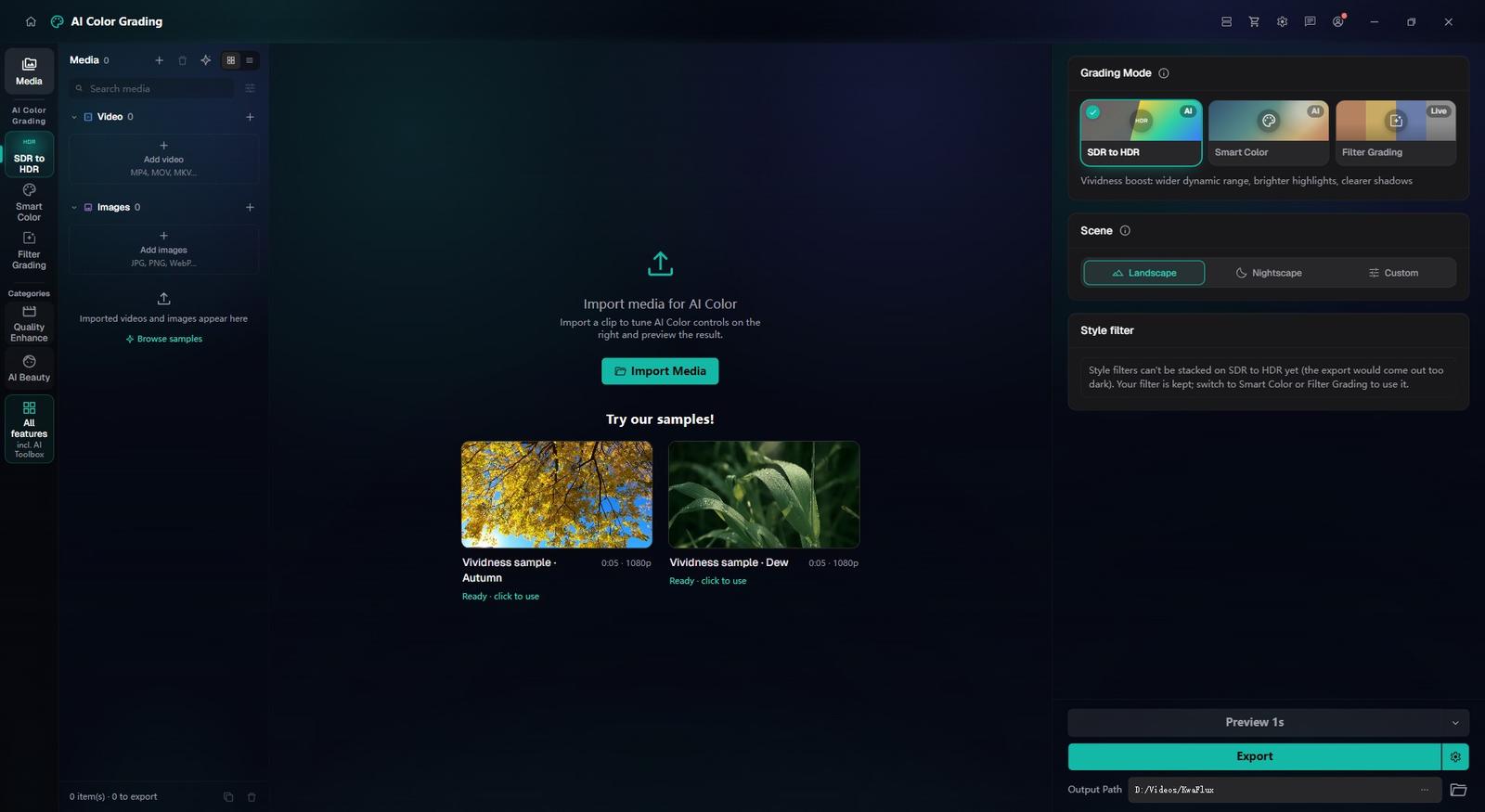
Open AI Color Grading
In the sidebar, open AI Color Grading and import the clip or photo you want to fix.
Pick a mode and preview
Choose SDR to HDR, Smart Color or Filter Grading and compare a 1, 3 or 5-second preview with the original.
Export one clip or a batch
Export renders on your GPU, and the job runs in Task Center. To match several clips, set up one, use Apply params to others, then Export all.
§05Requirements
System requirements
| Operating system | Windows 10 (64-bit, 1809+) or Windows 11; macOS 12 or newer (Apple Silicon)Apple Silicon only. macOS 12 runs in Standard Mode. |
|---|---|
| GPU | 2016 or later Intel, AMD, or NVIDIA GPU — integrated or discreteDirectX 12 Feature Level 12_0. Windows only. macOS uses Apple Silicon. |
| Memory | 8 GB RAMEnough to launch, preview, and export. Long clips and stacked modules will be slower. |
| Storage | SSD workspaceUse an SSD for the app, cache, and temp files. |
Windows 10 (64-bit, 1809+) or Windows 11; macOS 12 or newer on Apple Silicon.
§06FAQ
Frequently Asked Questions
- What does SDR to HDR conversion actually do?
- It widens the dynamic range of standard footage, so highlights get brighter, shadows clearer and color more vivid. Check the result on the kind of screen you are delivering for.
- Can I convert 30fps video to 60fps or 120fps here?
- Not in AI Color Grading. Frame Interpolation in Quality Enhancement raises the frame rate: 2x, 3x or 4x, or a set target of 30, 50, 60, 90, 120 or 144 fps. AI builds the in-between frames, so motion looks smooth rather than duplicated.
- Does AI Color Grading work on photos too?
- Yes. It takes photos as well as video, so a frame grab or still can match the grade of the clip next to it.
- Can I make slow motion from ordinary 30 fps footage?
- Yes. AI Slow Motion, under Smart Effects in the AI Toolbox, builds in-between frames so ordinary footage plays 2x, 4x or 8x slower without a high-speed camera. Smooth, continuous motion slows down most cleanly.
- Can I try it before buying?
- Yes, with no account or card. Free previews last 1, 3 or 5 seconds in video modules, 5, 15 or 30 seconds in Video Stabilization, the whole picture for images and the opening 5 to 30 seconds for audio; file tools such as the Converter have no effect preview. Exporting, converting, repairing a file and downloading a file from a link need sign-in and a paid plan, and there's no time-limited trial.
Download the app, import a clip and render a free preview. You need a paid plan only to export, convert, repair a file or download a file from a link.