AI Object Remover erase objects and passers-by
AI Object Remover erases what you don't want in the shot and fills the gap. Use Dynamic Tracking Removal for something that moves, like a passer-by, and Static Object Removal for something that stays put, like a parked bike or a bin.
- Free preview
- 1, 3 or 5 seconds of video; the whole picture on a photo · No account needed.
- Needs a paid plan
- Export, convert, repair a file, download a file from a link
- Dynamic tracking for people and things that move
- Static removal for objects that stay in place
- Three quality levels trade time for a cleaner fill

Removal
Mark it, then let the tracker fill the gap
Crowds and thin poles are still hard. Mark the object with a few points, preview a short section, and pick a higher quality level if the fill shows.

§01What it does
Two removal modules and one Repair Tier
Dynamic Tracking Removal (Experimental)
Mark something that moves, such as a passer-by or a car, on one frame and the mask follows it through the clip. The app labels it Experimental, so results can vary.
Static Object Removal
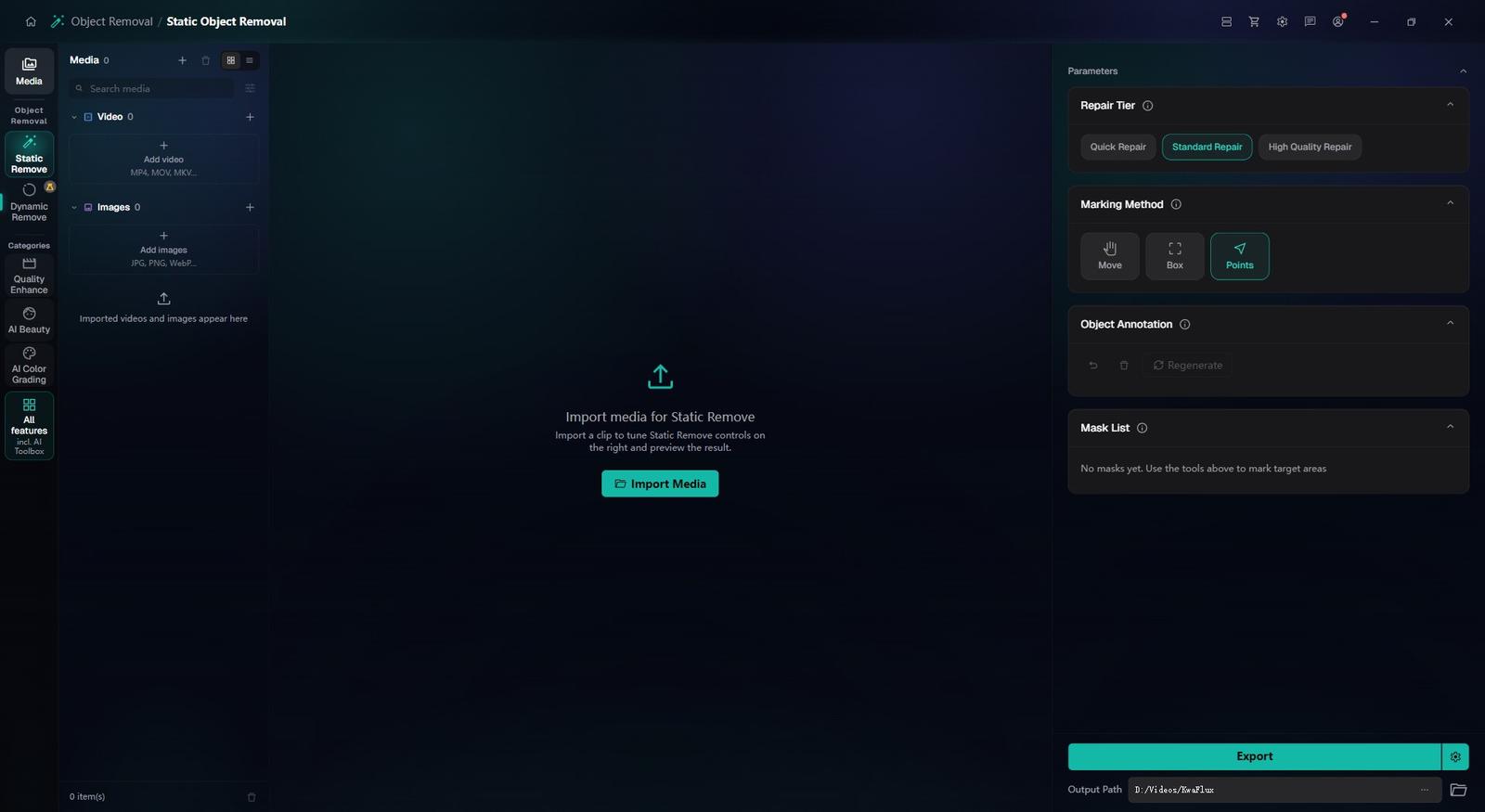
For things that stay put, like a sign, a bin or a wire: box or click it and KwaFlux fills the area. It works on videos and photos.
Repair Tier
Quick, Standard or High Quality. A higher tier gives a cleaner fill and takes longer.
§02
The fill borrows from your footage
The fill rebuilds the area from the surrounding pixels and from frames where the background was visible, so it can't show what the camera never recorded.
If an object hides the same spot for the whole shot, there is nothing to borrow, and the filled area is an estimate. Crowds, repeating patterns and thin poles are hard for the same reason.
§03
Preview where the object crosses
Render a free 1, 3 or 5-second preview where the object passes in front of detail. If the filled area wobbles, add points, regenerate or pick a higher Repair Tier.
§04
Moving or fixed: pick the module
A walker, a cyclist or a car crossing the frame is a job for Dynamic Tracking Removal: mark it on one frame and the tracker carries the mask.
A sign, a bin or a cable that stays put goes to Static Object Removal: box or click it and the fill rebuilds what was behind it.
To keep an object and change what's behind it instead, use Object Background Replace.
§05How to use
How to remove an object in KwaFlux
Pick the module
In the sidebar, open AI Toolbox, then Object Removal. Choose Dynamic Tracking Removal for something that moves, or Static Object Removal for something that doesn't.
Mark it and preview
Mark the object with a few points or a box, set the Repair Tier, then preview 1, 3 or 5 seconds.
Export
Export once the fill holds up in motion, not just on a single frame.
§06Requirements
System requirements
| Operating system | Windows 10 (64-bit, 1809+) or Windows 11; macOS 12 or newer (Apple Silicon)Apple Silicon only. macOS 12 runs in Standard Mode. |
|---|---|
| GPU | 2016 or later Intel, AMD, or NVIDIA GPU — integrated or discreteDirectX 12 Feature Level 12_0. Windows only. macOS uses Apple Silicon. |
| Memory | 8 GB RAMEnough to launch, preview, and export. Long clips and stacked modules will be slower. |
| Storage | SSD workspaceUse an SSD for the app, cache, and temp files. |
Windows 10 (64-bit, 1809+) or Windows 11; macOS 12 or newer on Apple Silicon.
§07FAQ
Frequently Asked Questions
- Can I remove a person walking through the frame?
- Yes, with Dynamic Tracking Removal, which the app labels Experimental. Mark the person, preview where they cross, and export if the fill holds. Dense crowds and long occlusions are still hard.
- Can I remove something that doesn't move, like a sign or a power line?
- Yes. Static Object Removal handles fixed clutter such as poles, signs or cables in videos and photos: box or click it and KwaFlux fills the area. Preview where it meets a busy background before you export.
- Can I try it before buying?
- Yes, with no account or card. Free previews last 1, 3 or 5 seconds in video modules, 5, 15 or 30 seconds in Video Stabilization, the whole picture for images and the opening 5 to 30 seconds for audio; file tools such as the Converter have no effect preview. Exporting, converting, repairing a file and downloading a file from a link need sign-in and a paid plan, and there's no time-limited trial.
Download the app, import a clip and render a free preview. You need a paid plan only to export, convert, repair a file or download a file from a link.