SDR to HDR and AI frame interpolation — enhance without another upscale
Already 1080p but still washed out or choppy? SDR-to-HDR, AI Color Grading, and Frame Interpolation run locally. Free 1s/3s/5s preview, no account needed.
The short answer
If footage is already sharp but looks flat, juddery, or dull on an HDR display, the fix is color and motion work, not another upscale. SDR-to-HDR in AI Color Grading maps tone and color onto a wider display range; Frame Interpolation adds in-between frames. They are separate passes you can export together.

Color versus motion
- SDR → HDR — map tone and color onto a wider display range
- Smart color and filter grades — dull or shifted tones, a consistent look across clips
- Interpolation 2x / 4x / custom 30–120fps, plus slow-mo up to 8x
Interpolation caveats
- Natural motion interpolates cleanly; hard cuts and extreme action can artifact
- Interpolation invents frames — preview a talking or panning segment first
- Color work is iterative; local GPU previews beat re-uploading a grade
How to enhance color and motion
- Diagnose the clip: color, dynamic range, frame rate, or several at once
- Enable SDR-to-HDR or smart color; set 2x, 4x, or a custom fps; preview 1s/3s/5s
- Export once with all enabled passes — no separate color and motion apps
Two modules, not one model
SDR-to-HDR and frame interpolation answer different complaints about footage that is already sharp enough. A flat picture profile, a dull grade, or a clip that looks lifeless on an HDR display is a tone and color problem. Judder, a low frame rate on a 60 fps timeline, or a request for slow motion is a time problem. AI Color Grading maps tone and color onto a wider display range. Frame interpolation invents in-between frames. Turning both on for one export does not merge them into a single operation. They stay separate passes. If the grade is what looks wrong, leave the frame rate alone until a 1s, 3s, or 5s preview shows the color you want.
SDR-to-HDR takes material prepared for a standard display and maps it toward the wider brightness and color volume an HDR-capable screen can show. Highlights can sit higher. Shadows can sit lower. Detail that was already in the frame should stay readable rather than turning into a flat gray. The pass does not create resolution, and it does not add frames that were not captured. If the file is already 1080p or 4K and the complaint is contrast, start here or with a smart color grade, not with another trip through AI Video Enhancer. Upscale is for a frame that is actually small.
Interpolation is the other pass. 2x, 4x, a custom target from 30 to 120 fps, and slow motion up to 8x all invent samples between the frames you captured. A slow pan or a person talking often holds. Hard cuts, strobes, and extreme action can show warped edges or a faint echo of the next shot. Preview a talking segment and a panning segment before you commit the timeline. If the motion looks wrong, drop to 2x or skip interpolation on that clip. A higher number is not a quality ladder. It is a different amount of invented time.
Color work is iterative. You may try SDR-to-HDR, then a filter grade, then decide the original profile was fine and only the motion needed help. Local GPU previews let you make that call on the machine. You do not upload the file again to see the next attempt. Enable the passes you still want, then export once. The media stays on disk. A free preview needs no account. Export, convert, file repair, and downloading a file from a link need sign-in and a paid plan, listed on pricing.
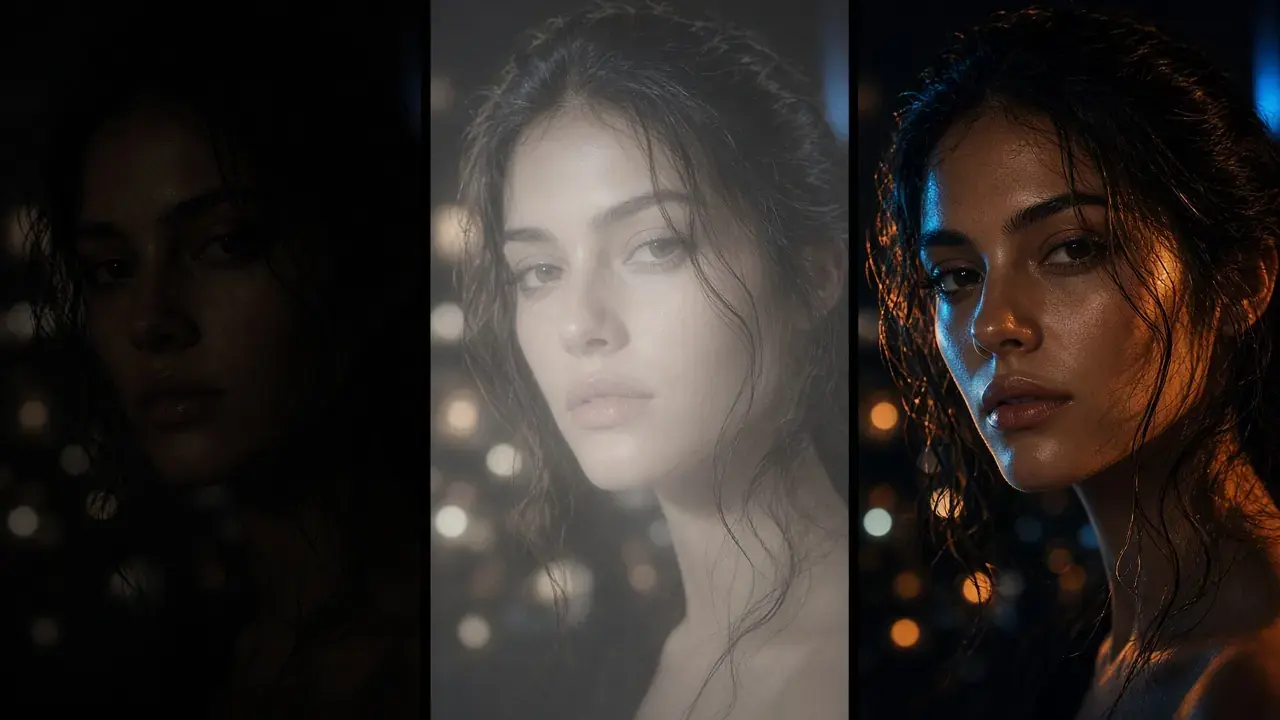
Keep the original beside the export. A tone map can push highlights further than the shot supports, and an interpolation pass can smear a cut you meant to keep sharp. If the preview on the difficult moment looks wrong, change that pass or turn it off. The picture on this page is a Smart Color preview, not an HDR grade: an HDR result can't be shown in an SDR screenshot. A 24 fps shot at 2x becomes 48 fps, not 60. If the destination asks for 60, set a custom frame rate instead of assuming 2x lands there. Slow motion up to 8x is the same interpolator used for more invented time, not a sharper picture.
- Color pass: SDR-to-HDR or smart color. It does not invent frames.
- Motion pass: 2x, 4x, custom 30–120 fps, or slow motion up to 8x. It does not lift dynamic range.
- Preview each complaint on its own 1s, 3s, or 5s window before you export both.
- Skip interpolation when a hard cut looks warped, and keep the original file.
Try It on Your Own Footage
Download KwaFlux and preview effects on your own footage for free before you pay — no account needed, and your media is processed on your GPU, not uploaded for processing. Video previews run 1, 3, or 5 seconds; stabilization previews run 5, 15, or 30 seconds.
Frequently asked questions
What does SDR to HDR actually do?
It maps tone and color from SDR material onto the wider brightness and color volume HDR-capable displays expect: brighter highlights, deeper shadows, without crushing detail.
Will frame interpolation cause artifacts?
It can on fast action or hard cuts. Preview a short segment; drop to 2x or skip interpolation if the motion looks wrong.
Are SDR-to-HDR and frame interpolation the same pass?
No. Tone mapping and interpolation stay separate. You can enable both and export once, but SDR-to-HDR does not invent frames, and interpolation does not change dynamic range.
Sources
- ITU-R BT.2100: Image parameter values for high dynamic range television (accessed 2026-10-11)
- Niklaus et al. (2017), Video Frame Interpolation via Adaptive Separable Convolution (accessed 2026-10-11)
Related articles
AI Color Grading
SDR to HDR, Smart Color, and Filter Grading
OpenHow to stabilize shaky video with AI (and when crop hurts)
Automatic vs Subject Lock, what each costs in crop, rolling shutter caveats, and free 5/15/30-second previews. Previews need no account.
OpenFrame Interpolation
2x, 3x, or 4x
OpenSmart Effects
Crop, cartoon, relight
OpenCoMore in Color & HDR
Keep reading

SDR vs HDR in Depth: PQ, HLG, Tone Mapping, and HDR10 Encoding
How PQ and HLG encode light, why HDR needs 10 bits, what HDR10 metadata says, how tone mapping works, plus tested x265, SVT-AV1, and FFmpeg commands.
SDR to HDR, Measured: Relabeling, Brightness Boosts, and a Static Curve
One SDR frame converted three computed ways, every pixel measured in nits: a relabel sends the sky to 6,207 nits, a linear boost puts faces at 350.