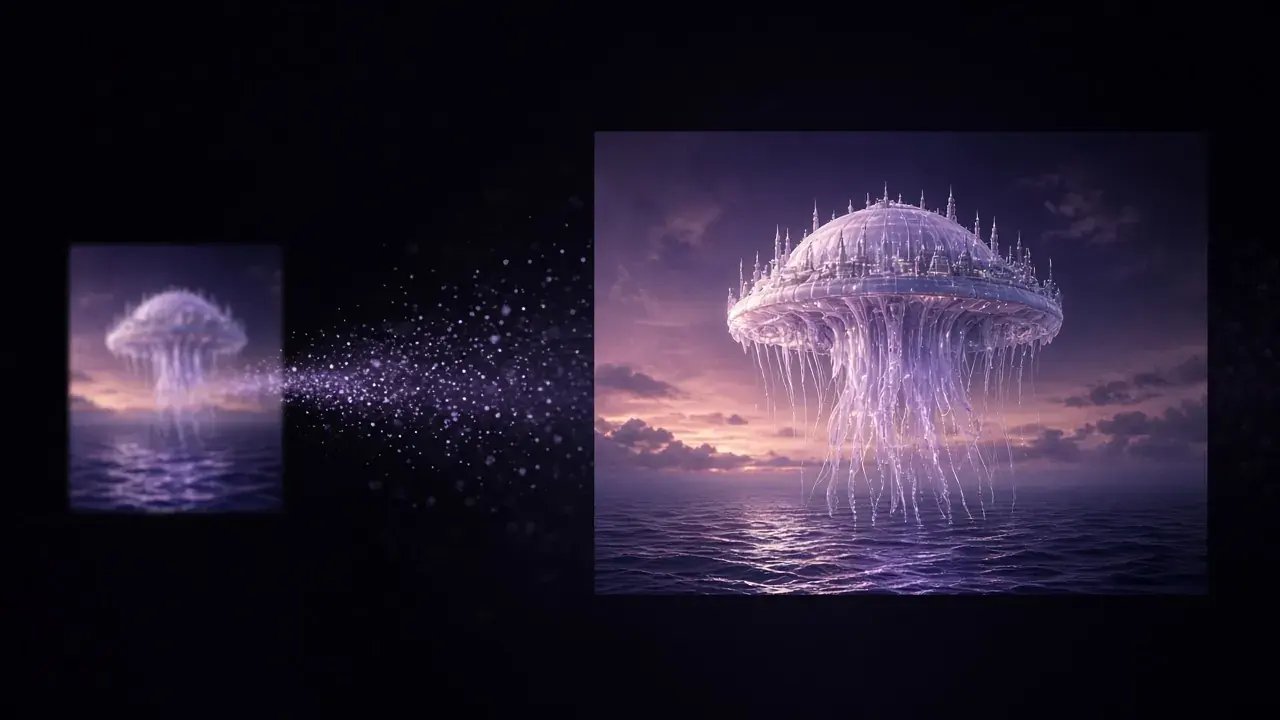
The post-processing era of AI-generated video
Generated masters are usually 720p–1080p with diffusion smear. Generate, pick, finish locally, deliver. The step-by-step is in the Sora/Kling/Veo guide.
The short answer
AI video generators usually hand you a 720p–1080p file with diffusion smear and soft motion, not a delivery master, so a finishing step sits between "generate" and "deliver": pick the keepers, repair, upscale, and grade them. Output sizes vary by plan and version, so check the vendor. The steps are in How to upscale Sora, Kling, and Veo videos.

Why generators rarely ship 4K
Compute cost climbs steeply with resolution: a 5-second 4K sample costs several times what a 1080p one does. Platforms charge for every attempt, so they keep the output size moderate and leave finishing to other tools. Imagining a scene and delivering it at full quality are different technologies (sampling versus reconstruction), and it's rare for one company to lead in both. That split is likely to last.
Four jobs the second step is for
The complete AI video production pipeline
Generators create the shot; KwaFlux cleans up the source frames first and finishes the 4K master on your GPU.
Stage 01 · Source frames
Repair & Stills
Fix damaged files, deinterlace, and extract clean reference frames
Stage 02 · Cloud Gen
Sora / Kling / Veo
Generate dynamic scenes (typically 720p–1080p with diffusion blur)
Stage 03 · Local Pass
KwaFlux 4K Upscale
Reconstruct edges, restore faces, denoise, and interpolate motion
Stage 04 · Delivery
Alpha & Transcode
Clean green-screen-free cutout and batch export into H.265 / ProRes masters
- Resolution — 720p/1080p toward 4K on the AI Video Enhancer
- Texture — diffusion watercolor on skin, cloth, and foliage that only shows when you go large
- Motion — many clips sit near 24 fps and fall apart on fast moves; interpolation plus rebuild helps social playback (SDR to HDR and frame interpolation)
- Match — AI shots next to live-action need a grade so the cut does not jump (AI Color Grading)
What this does to the toolchain
- Generate cheap takes, pick one, finish only the keeper. Local finishing has no per-minute meter — batch stops being a luxury
- You already paid a cloud queue to generate. Uploading again to finish doubles the friction. "Generate in the cloud, finish on your GPU" is complementary, not a second rent
- Dedicated workflows: Sora, Kling, Veo, Seedance, Midjourney. Specs move; we update those pages when they do. We do not promise a 72-hour SLA in this article
Finishing can fix size, texture, and motion feel. It cannot fix a generated structural lie — melted fingers, sliding geometry, a set that changes identity between frames. Those need another generate. "One click fixes every AI video" is a warning label. The honest job: make a good generate deliverable. Do not launder a bad one.
Sora, Kling, Veo, Seedance, Midjourney, and Runway are trademarks of their owners. KwaFlux is independent and is not affiliated with those companies. Generator output specs change with version and plan — use each platform's current docs.
Sharper generators do not retire the finish
Native output sizes will grow. But compute still climbs steeply with resolution, and platforms still charge per attempt, so a cheap draft followed by an expensive finish remains a cost split, not a passing trend. A 5-second 4K sample still costs several times a 1080p one. Even when a vendor raises the default, the file you download is often still a draft: diffusion smear on skin, cloth, and foliage, motion that falls apart on fast moves, and color that jumps next to live action. Those are the four jobs named above. A bigger pixel grid doesn't make them go away; it makes the smear easier to see.
Finishing still cannot repair a structural lie. Melted fingers, sliding geometry, a set that changes identity between frames: generate again. The second pass can change size, texture feel, and motion smoothness on a keeper that was already coherent. A slogan that says every AI video can be fixed in a single gesture stays a warning, not a feature. Pick the take in the generator, then finish that take on your GPU, so you are not paying a second cloud queue to process frames you already downloaded. The click-path is How to upscale Sora, Kling, and Veo videos. Specs move with plan and version. The workflow pages move with them. This page does not freeze a resolution number.
- Generate several cheap takes. Finish the one whose identity already holds from frame to frame
- Upscale toward delivery on the AI Video Enhancer after the broken takes are rejected
- If fast motion strobes, interpolation is a separate decision from the resolution pass. See SDR to HDR and frame interpolation
- Match AI shots to live action with a grade on AI Color Grading so the cut does not jump
- If the structure is wrong, go back to the generator. A long local render will not launder it into a usable master
In the end it is a split of labor: the cloud generator imagines the scene, and the machine that will hold the master does the reconstruction. People who ship a lot of cuts notice first, because local finishing isn't billed by the minute, which makes batch work routine rather than a luxury. A single hero shot can still be finished wherever is convenient. The argument doesn't need today's 720p–1080p output to stay the same. It only needs generating and delivering to remain different technologies.
Try It on Your Own Footage
Download KwaFlux and preview effects on your own footage for free before you pay — no account needed, and your media is processed on your GPU, not uploaded for processing. Video previews run 1, 3, or 5 seconds; stabilization previews run 5, 15, or 30 seconds.
Frequently asked questions
Will native 4K generators kill the second step?
Resolution will climb. The cheap-iterate / expensive-finish split is a cost structure, like camera RAW and a grade. It has lasted decades.
Is generated footage the same job as a compressed live-action clip?
No. Diffusion smear is not a chat-app block. Model and strength differ — that is why each generator has its own workflow page.
Should I upscale on the generator's site or on my own computer?
It depends on volume and privacy. Check whether the site charges per clip or by credits, and where your file is stored. KwaFlux runs locally, so batches don't add per-clip fees and the file is processed on your machine; the cost is your GPU's time.
Sources
- OpenAI API docs: Video generation with Sora (accessed 2026-10-11)
- InfoQ (2026-08-31): 从出片到出海:AI MediaKit 重塑短剧全链路生产力 (accessed 2026-10-11)
Related articles
AVCLabs alternative
Prices, computers per license and refunds, with check dates
OpenHow to choose a local AI video enhancer in 2026 (no cloud upload)
A buyer's checklist instead of a ranking: what local processing has to mean, five checks before you pay, and how to test any candidate on your own footage.
OpenLifetime vs subscription: a 3-year cost frame for AI video tools
How long you will use it, what "lifetime" actually covers, and what happens when you stop paying. 2026 public prices, not a quality shootout.
OpenLocal vs cloud AI video processing: privacy, speed, and cost
One-off shorts can wait in a cloud queue. Recurring batches, NDA footage, and family faces favor local. Three ways to weigh it, and when the cloud still wins.
OpenAiMore in AI-Generated Video