How do I put an AI-generated character into live-action footage?
No green screen needed: isolate AI characters frame-by-frame on your GPU and composite them cleanly into live-action NLE timelines.
Isolate the subject, then finish in the editor
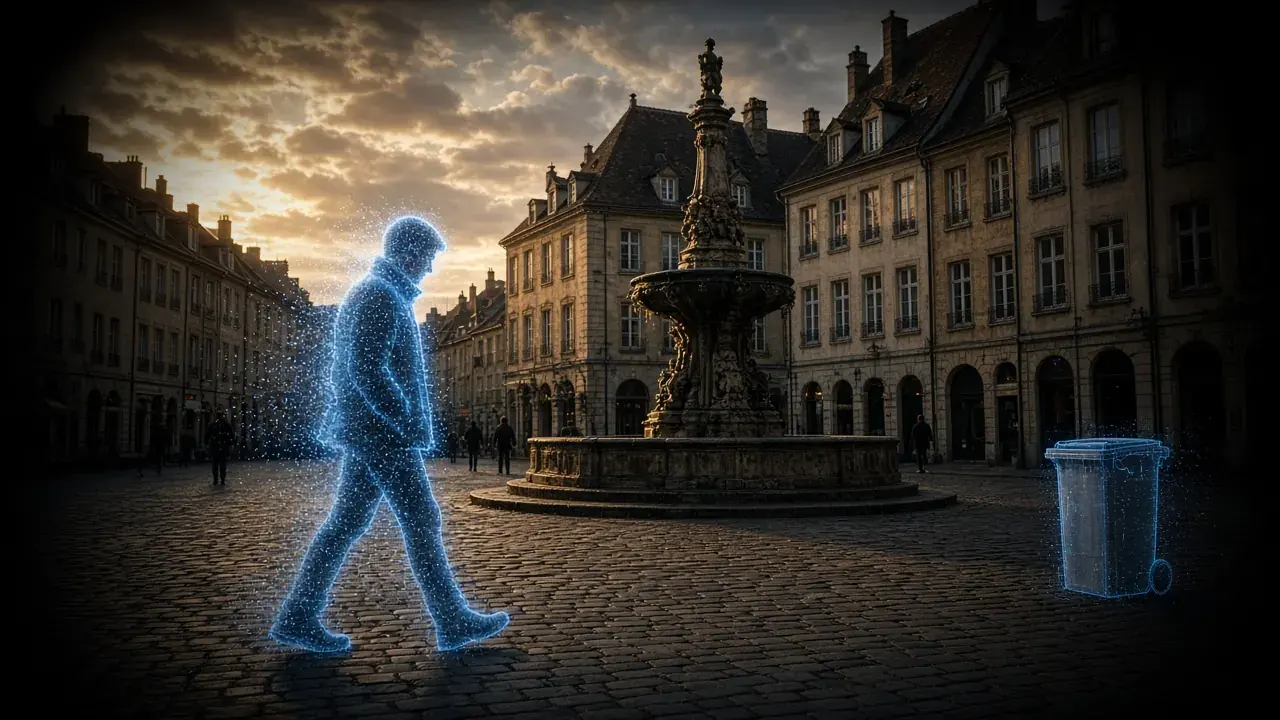
To put an AI-generated character into live-action footage, generate only the character or the key action, cut that subject out, and composite it onto a live-action plate you trust. Full-frame AI backgrounds often fail on signs, perspective, and architecture. AI Smart Cutout handles the cutout on your GPU; lighting, camera tracking, and layers stay in your editor.
Hybrid VFX workflow: generated subject into real footage
Isolate AI characters frame-by-frame on your GPU without a green screen studio.
Step 01 · Generate
AI Character Prompt
Prompt Kling / Sora for movement and action — ignore imperfect backgrounds
Step 02 · Cutout
AI Smart Cutout
Extract hair strands and edges with temporal consistency — no green screen required
Step 03 · Composite
Real Production Plate
Drop into live-action plates, 3D sets, or Unreal Engine virtual environments
Step 04 · Polish
4K Color & ProRes Master
Unify color temp, match grain, upscale to 4K, and export for Premiere / DaVinci
What the cutout will and will not hold
- Ordinary backgrounds do not need a green screen. A green screen can still help when fine hair meets a very busy background. When the shoot had no screen, there is no spill to remove, and edge quality still depends on subject-to-background contrast.
- Temporal consistency is the hard part. A cutout that treats every frame as a still lets edges crawl. The pipeline propagates masks through time. Check the worst motion on a free 1-second, 3-second, or 5-second preview.
- Fine hair against a busy background, and fast motion blur, remain hard. Preview hair and fingers before a full render.
- Export a cutout with alpha for Premiere, Resolve, or After Effects. A partner who needs ProRes 4444 or WebM with alpha takes that file into their graph. The composite is still their job.
Lock the person you mean when more than one appears. The matte is built around that selection, not around every face in the room. Hands that enter from the edge, a turn away from the camera, and hair against a patterned wall are the frames where the edge can crawl. Portrait cutout is for people. Object segmentation is for a prop or another subject you select. Neither mode matches light to the plate, tracks a camera move, or stacks effects. Those steps are the editor.
A cutout handoff, not a finished composite
- Prompt the generator for the subject and the action. Treat background glitches as disposable, because you will not keep that plate.
- Isolate with the local cutout. Preview 1, 3, or 5 seconds on hair, fingers, and the hardest move before a full render.
- Place the cutout over the live-action plate in your editor. Grade, shadow, and any tracked move are the editor's job.
- If the cutout's color still fights the plate, AI Color Grading can grade the isolated clip before the handoff. It does not build the composite.
The free preview is there so you can reject a matte that crawls before a full render. If the edge fails on that preview, a green screen on a reshoot can simplify the edge, and it remains optional for typical footage. Heavy occlusion, and a subject that blends into the background, stay hard on either path. Download is where the desktop build starts.
A studio screen is a lighting and wardrobe problem you solve on set. This page does not replace that setup, and it does not claim the cutout makes the screen unnecessary in every shot. Use the preview on the real clip: hairline, fingers, and the frame where the subject turns. If those hold, the alpha is ready to leave KwaFlux. If they do not, fix the matte or the shoot before you invest in a long composite.
The handoff is a file with alpha, not a timeline. KwaFlux does not key light, it does not solve a camera, and it does not manage layers. After Effects, Resolve, Fusion, or Nuke still own the stack once the matte exists. If you only needed a solid or a still behind a person, that is a different module. This article is the cutout you take out of the app. Check 1, 3, or 5 seconds on the real clip before you trust a long render. A full render of a crawling hairline is the render that needs a paid plan, so reject it on the preview.
Compare the matte on a turn, not on a hero still. A frame where the face is large and the wall is plain can look finished, while the next second — a hand crossing the torso — shows a hole in the alpha. That second is the one to preview. On an AI character dropped onto a real street plate, also watch the feet. The cutout will not invent a contact shadow that matches the plate. Paint that shadow in the editor. Unreleased tests and client plates are a common reason to cut out on the machine: the footage does not enter a third-party cutout queue. Sign-in starts at export. The timed preview does not need an account.
Try It on Your Own Footage
Download KwaFlux and preview effects on your own footage for free before you pay — no account needed, and your media is processed on your GPU, not uploaded for processing. Video previews run 1, 3, or 5 seconds; stabilization previews run 5, 15, or 30 seconds.
Frequently asked questions
How does the cutout handle motion blur and fine hair?
Those are the hard cases on the cutout page. Masks are propagated through time so neighboring frames agree more than a photo cutout run on every frame. Fine hair against a busy background, and fast motion blur, can still crawl. Preview those frames before a full render.
What formats support a transparent background?
Cutouts can be exported with alpha for Premiere Pro, DaVinci Resolve, or After Effects. When a partner needs ProRes 4444 or WebM with alpha, export the alpha and let their project finish the stack. The cutout is the matte. The composite is still their graph.
Sources
- Sengupta et al. (2020), Background Matting: The World is Your Green Screen (accessed 2026-10-11)
- Xu et al. (2017), Deep Image Matting (accessed 2026-10-11)
Related articles
AI Smart Cutout
Isolate subjects without a green screen
OpenTalking-head background
Replace talking-head backgrounds locally
OpenHow do I remove a video background without a green screen?
How AI-powered video cutout isolates subjects frame by frame for compositing, background replacement, and clean cutouts — without studio setup.
OpenHow do I replace a video background without a compositor?
AI Smart Cutout lifts the person and puts a new plate behind them in one local step — a solid color, a still, or a blur — when you do not need a full After Effects graph.
OpenCtMore in Cutout & Cleanup
Keep reading

Halloween Party Cleanup: Remove Photobombers and Background Noise with AI
A stranger's legs in your costume photo, a toast lost in party noise: how to remove photobombers and clean up Halloween party audio, and what AI can't fix.

Spooky Halloween Video Effects with AI: Slow Motion, Haunted Backgrounds, and Stormy Skies
Make ordinary Halloween clips spooky: AI slow motion for a cape or a flame, a moonlit pumpkin background behind a costume, and storm clouds over the house.
How to remove an object from video — locally, not in the cloud
Dynamic Tracking Removal follows a person or car as it moves. Static Object Removal fills in things that stay put. Both erase only the objects you mark in your own footage.