Drive KwaFlux from Codex, Claude, OpenClaw, DeepSeek, Hermes, and Cursor
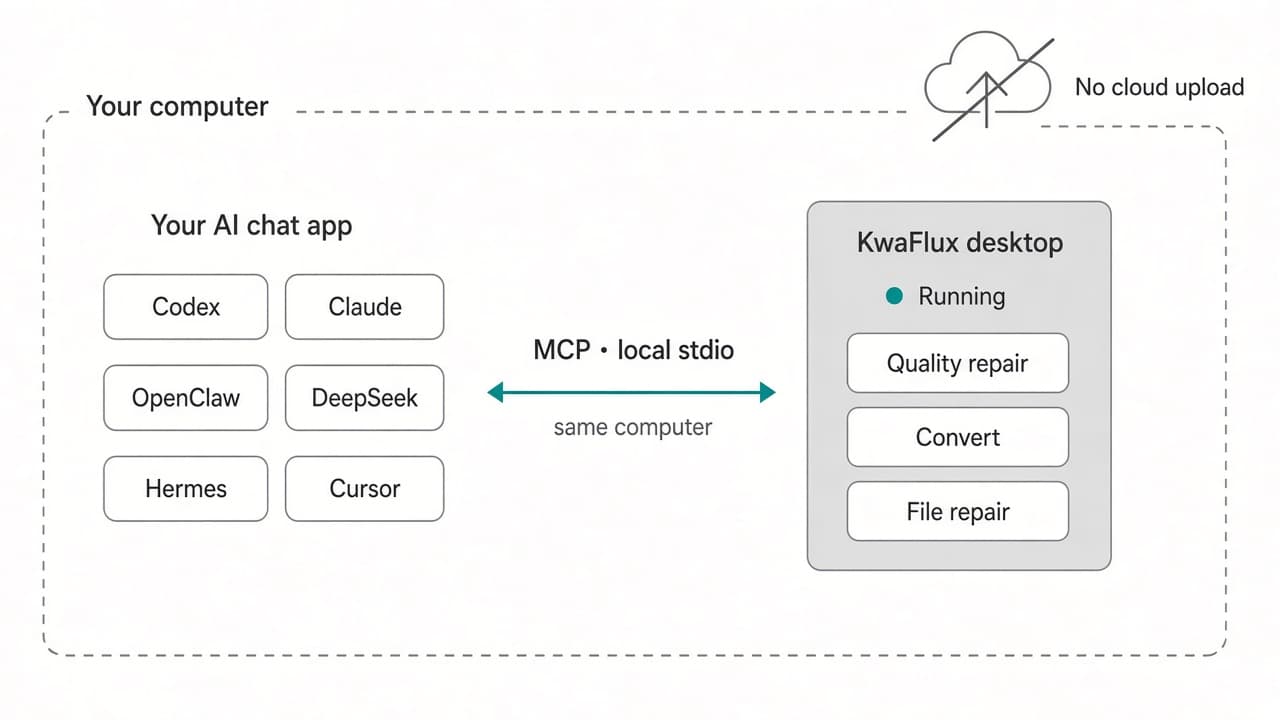
KwaFlux ships a local MCP server. Keep the app open and connect Codex, Claude, OpenClaw, DeepSeek, Hermes, or Cursor. Convert, repair, enhance, and download need sign-in and a paid plan.
What this is
KwaFlux ships a local MCP server. Open Settings, then Agent (MCP), and keep the app running. Codex, Claude, OpenClaw, DeepSeek (DSH), Hermes, and Cursor can drive it. The chat app starts the server with Node.js 18 or newer. Settings copies the config for you. The link is local stdio on this computer: no OAuth and no remote Authenticate button. Convert, repair, enhance, and download through MCP need sign-in and a paid plan. Free 1s/3s/5s previews stay in the desktop app. The agent does not render them.
Where each host stores the config
| Host | Where it goes |
|---|---|
| Codex | Append to ~/.codex/config.toml. The key is mcp_servers. Restart Codex, or run /mcp. |
| Claude Code | Project .mcp.json, or the install command. Open a new session after you change it. |
| Claude Desktop | Merge into claude_desktop_config.json, then quit the app fully. On Windows the file is under %APPDATA%\Claude\. |
| OpenClaw | Merge into ~/.openclaw/openclaw.json under mcp.servers, or run openclaw mcp set. |
| DeepSeek | A DSH profile YAML. Restart the DSH session. |
| Hermes | Write ~/.hermes/config.yaml under mcp_servers, or run hermes mcp add. |
| Cursor | Use the in-app install, then Reload MCP in Cursor. |
What the agent can do
It can read whether the app is running and signed in, list tasks, and wait for one to finish. It can also pause, resume, cancel, or retry a task it started. Diagnose a damaged file before you repair it.
- Convert: writes an mp4 next to the input. It cannot pick a container, make a GIF, or cut a time range.
- Repair: needs sign-in and a paid plan. Diagnose can run first.
- Enhance: quality repair, color, stabilization, deinterlace, smart effects, and beauty. The file lands next to the input.
- Download: probe a link, then save it, only after you turn the switch on and confirm you have the right.
- Frame interpolation stays in the desktop app.
- Matting, person replace, object replace, and sky replace stay in the desktop app.
- Clicking a subject on a paused frame stays in the desktop app.
- The agent cannot control a task you started yourself in the window.
Downloads stay off until you say so
Settings → Agent access → allow agents to start downloads. That switch is off until you turn it on. You must say, in the chat, that you have the right to save that file. The assistant's claim does not count. KwaFlux does not sign into a site or skip a paywall.
Limits
Experience on Your Own Footage
Download KwaFlux locally and render 1s, 3s, and 5s previews before you pay — 100% on your GPU without cloud upload.
Frequently asked questions
Does KwaFlux support MCP in Codex, Claude, or Cursor?
Yes. It is a local stdio connection. Keep KwaFlux running and use Settings → Agent (MCP).
Why is there no Authenticate button?
The server is local stdio, not a remote URL. There is no OAuth step.
Can the agent export or convert for free?
No. Convert, repair, enhance, and download through MCP need sign-in and a paid plan. The free 1s/3s/5s previews stay in the desktop app.
Can I download through the agent?
Only after Agent access is on and you confirm you have the right to download. The assistant cannot confirm that for you.