KwaFlux: Everything You Need to Know (Features, Platforms, Pricing, Updates)
What KwaFlux is, what it includes, which systems it runs on, what is free and what is paid, how licenses work, and what changed in each version.
Quick answer
If you're searching for KwaFlux, this page collects the facts in one place: what the app includes, what it runs on, what's free and what needs a plan, how licensing works, how it handles your files, and what changed in each version. It also explains where KwaFlux fits next to other kinds of tools, without ranking anyone.
KwaFlux is a desktop app for Windows and Mac that repairs and enhances video, images, and audio with AI models that run on your own GPU, and adds format conversion, compression, file repair, and downloads in the same workspace. You can browse, import footage, run quality detection, and render effect previews without an account; saving results needs a plan (see what's free and what's paid below). You can pay monthly or yearly, or buy a one-time Perpetual License, and each license covers two devices.
What is KwaFlux?
KwaFlux is a desktop media workstation that runs AI repair and enhancement locally, so one app covers cleaning up, upscaling, retouching, grading, converting, and repairing video, photos, and sound.
It's developed by KwaFlux Limited, a company registered in Hong Kong. The app is organized around one workspace: you import media once, pick a tool from the sidebar, preview the result, and export. Tools that belong together, such as deinterlacing, repair, and frame interpolation, run as steps of one job.
Key facts
| Item | Details |
|---|---|
| Developer | KwaFlux Limited (Hong Kong) |
| What it is | Desktop app for AI video, image, and audio enhancement, plus format conversion, compression, file repair, and downloads |
| Platforms | Windows 10 (64-bit, version 1809 or later) or Windows 11; macOS 12 or newer on Apple Silicon |
| Current version | 1.0.9 on Windows and macOS, Stable channel |
| Where AI runs | AI processing runs locally on your GPU — media files are not uploaded for processing |
| AI modules | 30+, in four AI categories plus four tool pages |
| Plans | Monthly, yearly, or a one-time Perpetual License; current prices on the pricing page |
| Devices | 2 per license, Windows and Mac in any mix |
| Free to use | Browse, import, quality detection, and effect previews, with no account |
| App languages | 9: English, Simplified Chinese, Traditional Chinese, Japanese, Korean, German, French, Spanish, Portuguese |
| Last reviewed | 2026-10-24 |
What KwaFlux includes
The sidebar has two groups. The creative group holds four AI categories; the tools group holds four tool pages.
Quality Enhancement
- **Quality Repair: Smart Repair combines denoising, sharpening, color and brightness correction, upscaling, and face and detail restoration based on a quality check of each clip. Scene Repair** targets specific footage: anime, night scenes, haze, rain, black-and-white colorization, and film grain.
- **Frame Interpolation**: raises the frame rate with generated in-between frames (2x, 3x, 4x, or a custom target up to 144 fps).
- Deinterlacing: turns interlaced tape, DVD, and broadcast footage into progressive frames, automatically when the source is interlaced.
Dashboard cards such as Home Videos, Old Film, Colorize B&W, AI-Generated Video, Game Recordings, Night & Low Light, Dehaze, and Remove Rain open these tools with the right settings. For restoration workflows, see restore old video and the video upscaler.
AI Beauty
Video beauty retouching for video and photos: overall retouch, makeup, facial features, face shape, skin quality, and hair recolor.
AI Color Grading
AI color grading: SDR to HDR, smart grading, and filter-based looks.
AI Toolbox
- Segment & Replace: portrait background removal, object background replacement, sky replacement, and video matting.
- Object Removal: removal of moving objects with tracking, and of static objects.
- **Smart Effects**: video stabilization, AI slow motion, smart cropping, cartoonization, sketch generation, fixed style transfer, and face relighting.
- **Audio Enhancement**: audio denoising, voice enhancement, vocal separation, and AI voice change.
- Subtitle Enhancement: subtitle editing.
Tools
- **Converter**: audio and video format conversion, DVD conversion, image format conversion, and GIF making.
- **Compressor**: shrinks video and audio to a target size or quality level, in batches, and keeps the original when compressing wouldn't make a file smaller. It was added in 1.0.9.
- **Repairer**: repair for video, image, and audio files that won't open or play.
- **Downloader**: saves files from links you have the right to download.
What's free and what's paid
| Free, no account needed | Needs sign-in and an active paid plan |
|---|---|
| Browse the dashboard and open any workspace | Export |
| Import footage and photos | Convert or compress |
| Run quality detection | Repair a file |
| Render effect previews: 1, 3, or 5 seconds on video modules; 5, 15, or 30 seconds for Video Stabilization; the whole picture for images; the opening 5 to 30 seconds for audio | Download a file from a link |
There's no trial period. App updates are free and are separate from "download a file from a link."
Pricing and licenses
| Plan | Billing |
|---|---|
| Monthly | Renews every month |
| Yearly | Renews every year |
| Perpetual License | One payment, no renewal |
Prices change with promotions, so check pricing for the current ones. Every plan includes all local AI modules, and local processing isn't metered by minutes or credits. The Perpetual License includes free updates within the current major version of the desktop app; future major versions may be charged separately, as the subscription terms explain.
Devices. Each license can be used on up to 2 devices, Windows and Mac in any mix. Sign in on a new device to activate it. If you're already at the limit, the least recently used device may be signed out automatically, and you can revoke devices from your dashboard at any time.
Refunds. First purchases can be refunded within 14 days if you haven't materially used paid export; see the refund policy.
See current plans for checkout.
System requirements
| Requirement | Windows | Mac |
|---|---|---|
| Operating system | Windows 10 (64-bit, version 1809 or later) or Windows 11 | macOS 12 or newer |
| Processor and GPU | Intel, AMD, or NVIDIA GPU from 2016 or later, integrated or discrete | Apple Silicon |
| Recommended GPU | A recent discrete GPU | Apple Silicon |
| Memory | 8 GB RAM minimum, 16 GB recommended | 8 GB RAM minimum, 16 GB recommended |
Integrated graphics can run KwaFlux. 4K footage, long clips, and jobs that stack several steps take noticeably longer on them, which is why a recent discrete GPU is recommended on Windows. Intel-based Macs aren't supported.
Privacy: what runs locally and when KwaFlux goes online
AI processing runs locally on your GPU — media files are not uploaded for processing. That's the core of how KwaFlux handles your footage: the video, photos, and audio you work on stay on your computer while the models process them.
KwaFlux goes online for sign-in and license checks, app updates and model downloads (plus the GPU Acceleration Component on Mac), downloading a file from a link, and the crash and diagnostic reports described in our Privacy Policy.
Version history
KwaFlux 1.x is updated regularly through the app's built-in updater. Highlights from each release:
| Version | Highlights |
|---|---|
| 1.0.0 | First stable release of the local quality and repair workbench: enhancement, upscaling, frame interpolation, stabilization, matting and replacement, and beauty retouching in one app, in nine languages |
| 1.0.1 | An optional GPU acceleration switch on feature pages (the app still works without it); more reliable downloads and updates |
| 1.0.2 | First Mac release, for Apple Silicon; installer text stays readable on high-resolution screens; sample projects for quality repair, frame interpolation, and vibrance |
| 1.0.3 | More Macs can install it and previews stay open; finished work is easier to find; background replacement finishes from the spot you marked; the first-import guide can be skipped |
| 1.0.4 | Downloads show speed and time remaining; updating keeps the app where it already is; guide text follows your chosen language; scanning a person leaves the beauty look unchanged; no flash when the app opens |
| 1.0.5 | Zoom shows a percentage along the bottom; marks stay on the picture after zooming; an expired sign-in no longer covers the picture |
| 1.0.6 | The intro plays at full size before the main screen; list checkboxes and text in narrow spots are no longer cut off; reinstalling keeps your chosen language |
| 1.0.7 | The comparison stays covered until the processed picture is ready; portrait repair opens on the general setting; after a format check you can switch straight to another file; model download progress follows only the files from the current check |
| 1.0.8 | Refreshed processing stack; more stable export and preview; Smart Repair now restores faces automatically, so there's no separate portrait option; anime and night scene repair moved under Scene Repair; apart from Anime, Scene Repair no longer doubles the resolution on its own |
| 1.0.9 | Updates install on their own once downloaded, wait for running tasks to finish, and reopen the app; downloads resume after a pause or a dropped connection and work behind a system proxy; the Compressor was added for shrinking video and audio |
Where KwaFlux fits next to other tools
Different kinds of tools solve different problems. This table describes categories, not quality:
| Option | Where processing happens | How you pay | Typical strengths | Things to weigh |
|---|---|---|---|---|
| KwaFlux | Your own GPU; media files are not uploaded for processing | Subscription or Perpetual License | Video, image, and audio repair plus conversion, file repair, and downloads in one app; free previews | Needs a capable computer; exporting needs a paid plan |
| Specialist desktop enhancers (for example, Topaz Video) | Your computer, with some models in the cloud | Subscription | Deep model lineups focused on one medium | Device limits, cloud credits, and hardware requirements vary; see our Topaz Video review |
| Online AI enhancers | The vendor's servers, after you upload | Credits or subscriptions are common | Nothing to install; works on any device | Uploading private footage; file-size and queue limits vary |
| Free tools (HandBrake, FFmpeg, VLC) | Your computer | Free | Conversion, compression, deinterlacing, playback | No AI restoration; more manual setup |
For a detailed head-to-head, including where Topaz is the better choice, see KwaFlux vs Topaz Video.
Final thoughts
KwaFlux is built for people who want one local app for the repair and enhancement work that usually takes several tools. The simplest way to know whether it fits is to import a clip you care about and run a preview; that part needs no account.
Try KwaFlux
Download the app for Windows or Mac, import your own footage, and preview the result before you decide.
Editorial basis: This page was prepared from KwaFlux's published product facts, pricing, and legal terms, and from the app's release notes, as of 2026-10-24. Feature names follow the current desktop release. Prices and terms on pricing and in the subscription terms take precedence if anything here falls out of date.
Experience on Your Own Footage
Download KwaFlux and preview effects on your own footage for free before you pay — no account needed, and your media is processed on your GPU, not uploaded. Video previews run 1, 3, or 5 seconds; stabilization previews run 5, 15, or 30 seconds.
Frequently asked questions
What can I do in KwaFlux for free?
Everything up to the preview, with no account: browsing, importing, quality detection, and effect previews. The four actions that need a plan are listed in the table under "What's free and what's paid," and there's no trial period.
Does KwaFlux upload my videos?
No. AI processing runs locally on your GPU, and media files are not uploaded for processing. The app goes online for sign-in and license checks, updates and model downloads, downloading a file from a link, and the crash and diagnostic reports described in the Privacy Policy.
Does KwaFlux run on Intel Macs?
No. The Mac version needs Apple Silicon and macOS 12 or newer.
What GPU do I need?
On Windows, an Intel, AMD, or NVIDIA GPU from 2016 or later, integrated or discrete; a recent discrete GPU is recommended for 4K and long clips. On Mac, Apple Silicon. 8 GB of RAM is the minimum and 16 GB is recommended.
Does the Perpetual License include future versions?
Only updates within the current major version of the desktop app. Future major versions may be charged separately, as described in the subscription terms.
How many computers can I use KwaFlux on?
Two devices per license, Windows and Mac in any mix. If you sign in on a third, the least recently used device may be signed out automatically, and you can revoke devices from your dashboard.
Sources
- KwaFlux, "Pricing" (accessed 2026-10-11)
- KwaFlux, "Subscription terms" (Perpetual License update scope) (accessed 2026-10-11)
- KwaFlux, "Refund policy" (14-day window) (accessed 2026-10-11)
- KwaFlux, "Privacy Policy" (network uses) (accessed 2026-10-11)
- KwaFlux, "Download" (current version and system requirements) (accessed 2026-10-11)
KwMore in Inside KwaFlux
Keep reading
KwaFlux on Mac: Supported Macs, Setup, and Performance Tips
Which Macs run KwaFlux, how to install it, what the GPU Acceleration Component and Standard Mode mean, and how to keep AI video fast on Apple Silicon.
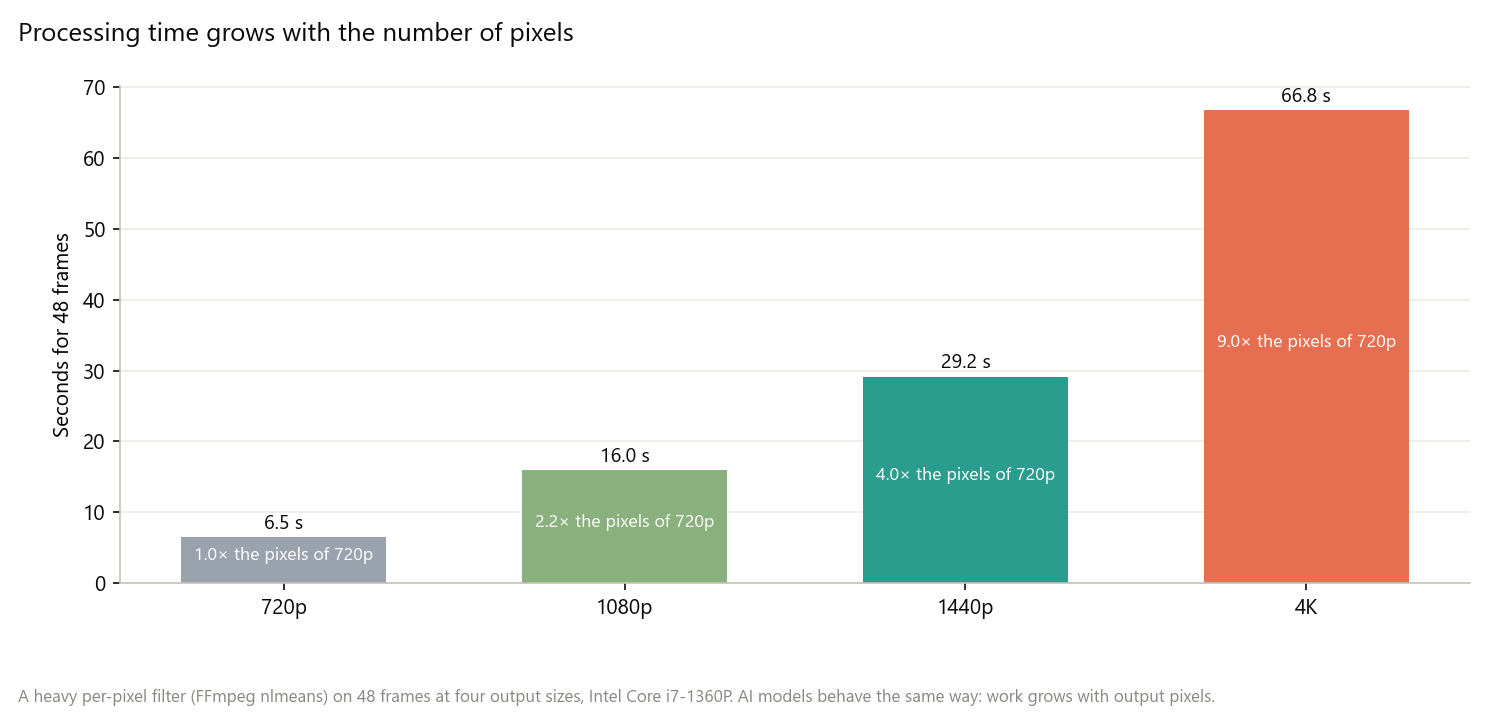
How to Make AI Video Enhancement Faster: Workflow, Settings, and Hardware
Why AI video enhancement is slow and how to speed it up: process less, pick the output size, order the steps, and use the GPU and app settings well.
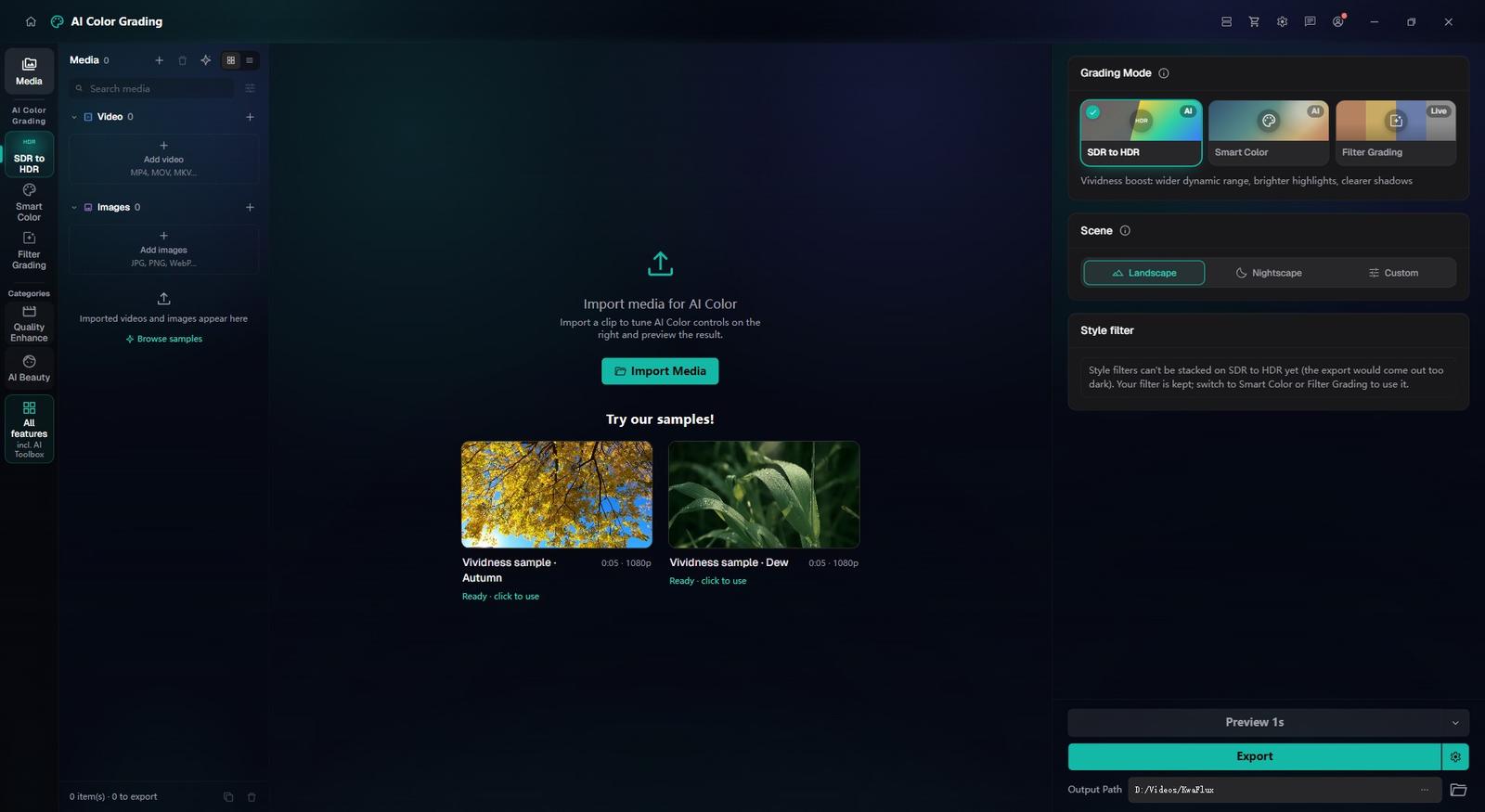
How to Test Any KwaFlux Tool for Free Before You Buy
No account or card needed: what you can test in KwaFlux for free, how long each preview runs, how to judge a result fairly, and what a plan adds.