Topic 07Fix & create
Cutout & Cleanup
Background removal, object removal, sky and background replacement, and privacy blur.
- articles
- 6
- how-tos
- 5
- last update
How-to
5 articlesStep by step, with settings that worked.

How to remove an object from video — locally, not in the cloud
Dynamic Tracking Removal follows a walker or car. Static Object Removal stamps parked clutter. Both erase objects you mark in your own footage.

How to replace a sky in video without a rotoscope graph
Sky Replace is a dedicated local workbench for dull or blown-out skies. Check the horizon on a free 1s/3s/5s preview. Previews need no account.

How to replace an object in video with local AI
SAM2 click-to-track lets you mark a prop or vehicle and swap its plate — transparent, solid, gallery, or blur — without uploading the clip.
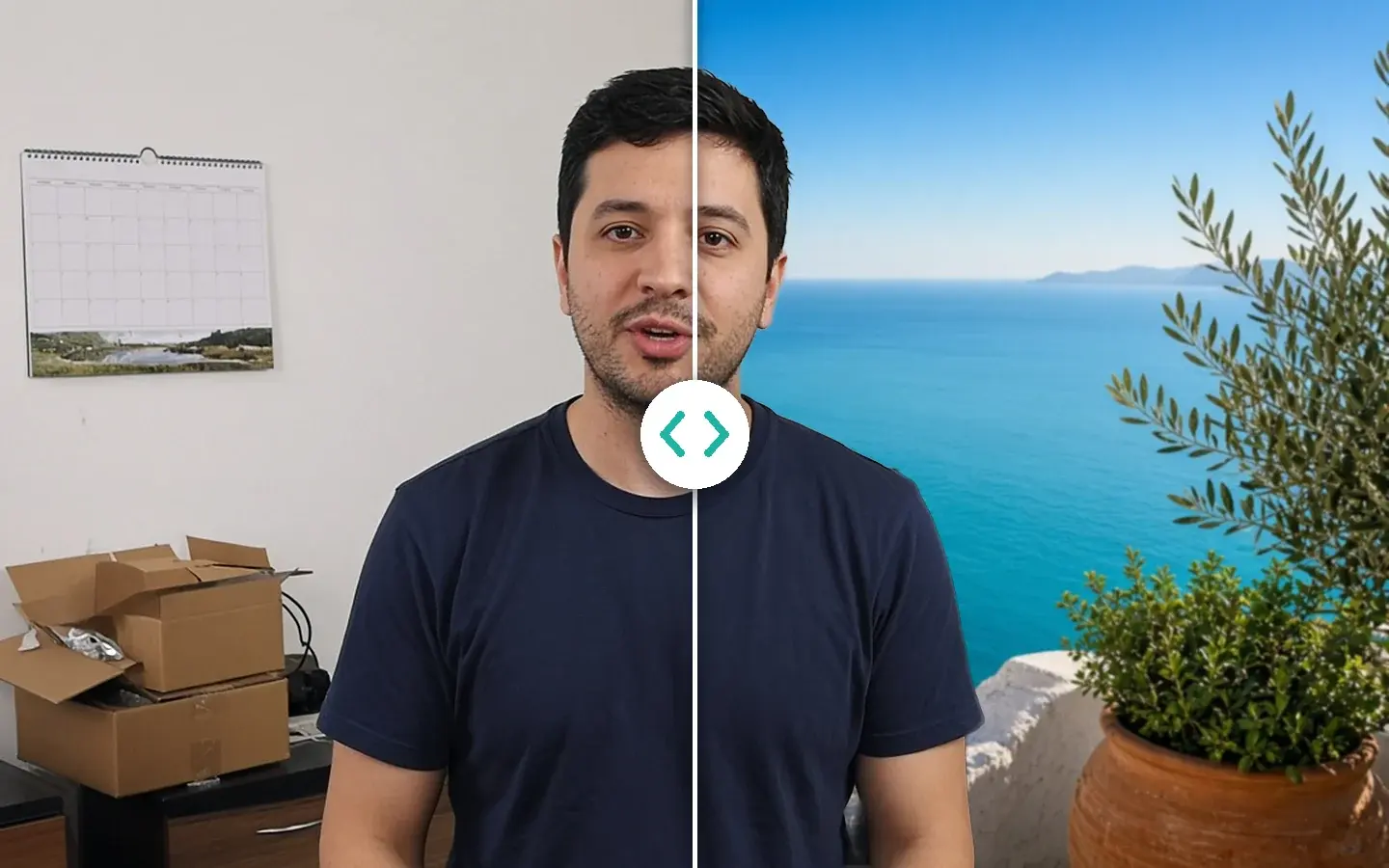
How do I replace a video background without a compositor?
AI Smart Cutout lifts the person and puts a new plate behind them in one local step — a solid color, a still, or a blur — when you do not need a full After Effects graph.
How do I remove a video background without a green screen?
How AI-powered video cutout isolates subjects frame by frame for compositing, background replacement, and clean cutouts — without studio setup.
Playbook
1 articleOne workflow for one kind of job.